


Extend your specialist applications
Connect your existing applications to Kontrakte.AI through the API. Together, we plan a document exchange that fits your system.
Your contracts are drafted in Word, shared with your team and kept in your existing storage. Connect Kontrakte.AI to the services you already use and add AI-assisted contract work to your familiar workflows.
Connect Nextcloud, SharePoint and Box directly in Kontrakte.AI in a few steps. Manage your connections yourself while keeping your familiar document storage.
For organisations shaping their own cloud environment.
Public bodies and organisations with their own infrastructure value control over file storage and the choice of hosting environment. Bring your Nextcloud documents into your work with Kontrakte.AI.
Read the Nextcloud announcement with videoFor teams working with Microsoft 365.
Shared documents, familiar filing structures and collaboration with colleagues shape everyday work in SharePoint. Use the documents you already keep there for your contract work in Kontrakte.AI.
For collaboration with clients and business partners.
When many people exchange documents across client matters and projects, clear organisation and controlled handling of confidential files matter. Bring your Box documents into your contract work with Kontrakte.AI.
Whether you revise contracts in Word or send documents for review by email, Kontrakte.AI fits into your working day.
AI assistance directly in your Word document.
Review contracts, get help revising wording and apply the changes you want directly to your document. With the Kontrakte.AI add-in, you stay in Word and decide which suggestions to use.
Install the Word add-in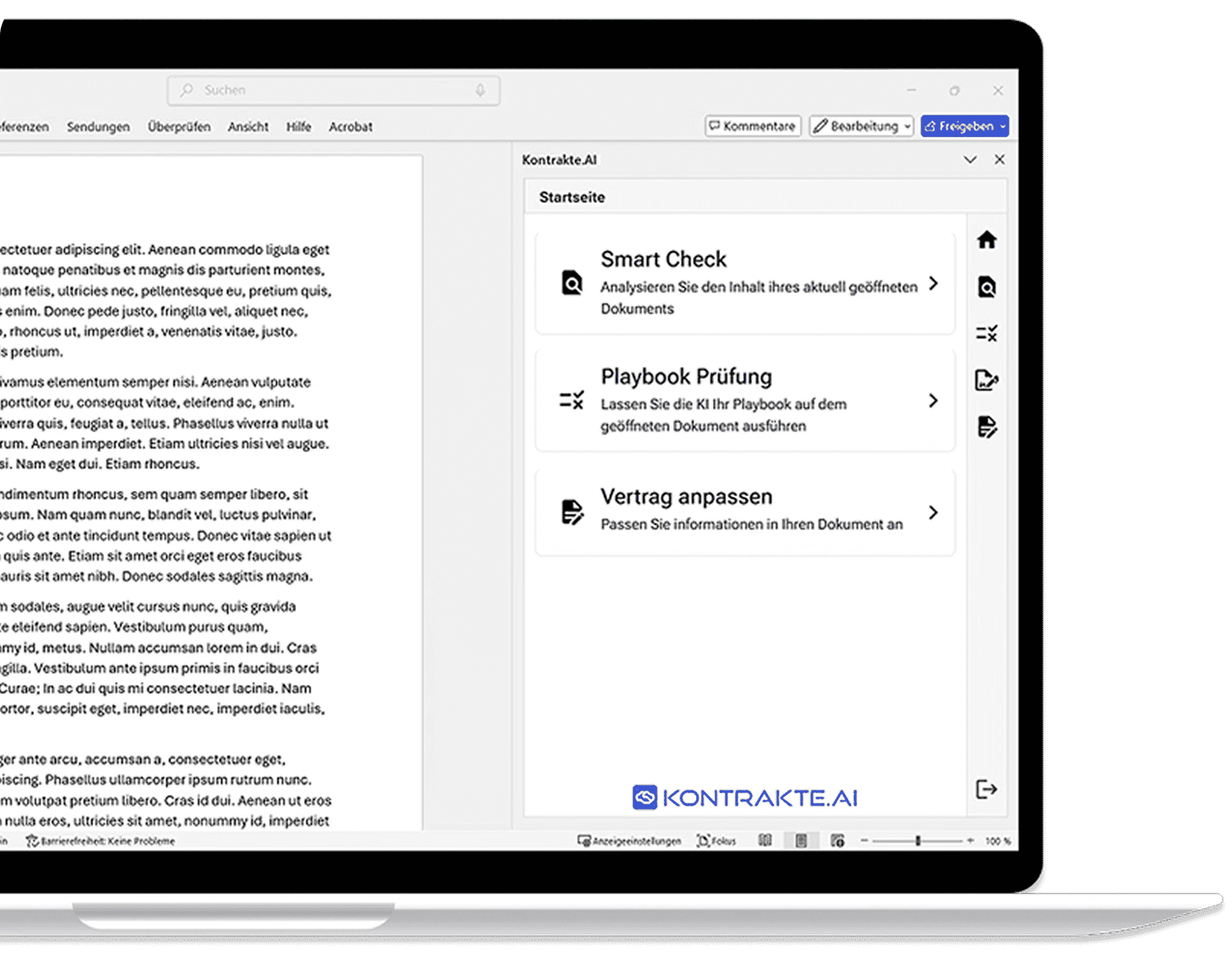
Send documents for review from your email application.
When documents arrive by email during your working day, take the next step: send the PDF attachments you want reviewed to your Kontrakte.AI submission address and start a review.
Does your team use a DMS, electronic files or a specialist application? We discuss additional services and custom connections with you on request.
Connect your existing applications to Kontrakte.AI through the API. Together, we plan a document exchange that fits your system.
If your team uses specialist sources or functions, we can connect them to your work in Kontrakte.AI through MCP.
Model selection and sign-in should fit the way your team works too.
Use the language models provided for your organisation. We can also discuss the use of your own models.
If you want to use your identity provider for Kontrakte.AI, we plan a suitable connection together with your IT team.
Yes. Connect these three services directly in Kontrakte.AI and manage your connections in the application yourself. You do not need a setup appointment with us. You need an account with the service and appropriate access to your storage.
No. The Word add-in is optional. The core Kontrakte.AI application runs in the browser. The add-in is intended for teams that want to work directly in Microsoft Word. The add-in requires a supported Word version.
A bulk check imports the selected documents once. New files in the folder are not automatically added afterwards. If you need ongoing retrieval, we assess the desired workflow and a suitable connection separately with you.
Once set up, send PDF attachments from your registered email address to the agreed submission address. Your address must be uniquely associated with an active account in your organisation. We agree the available check types and how you receive your results in advance. Your mailbox is not connected through this workflow.
Manage Nextcloud, SharePoint and Box connections yourself. For an additional connection, tell us which service you use and the workflow you need.
Request another integration